
STATUS IS UPWEBSITE OPTIMIZATION WIKI
18Accelerate
Performance and delivery / Accelerate

Responsive Images with srcset and sizes

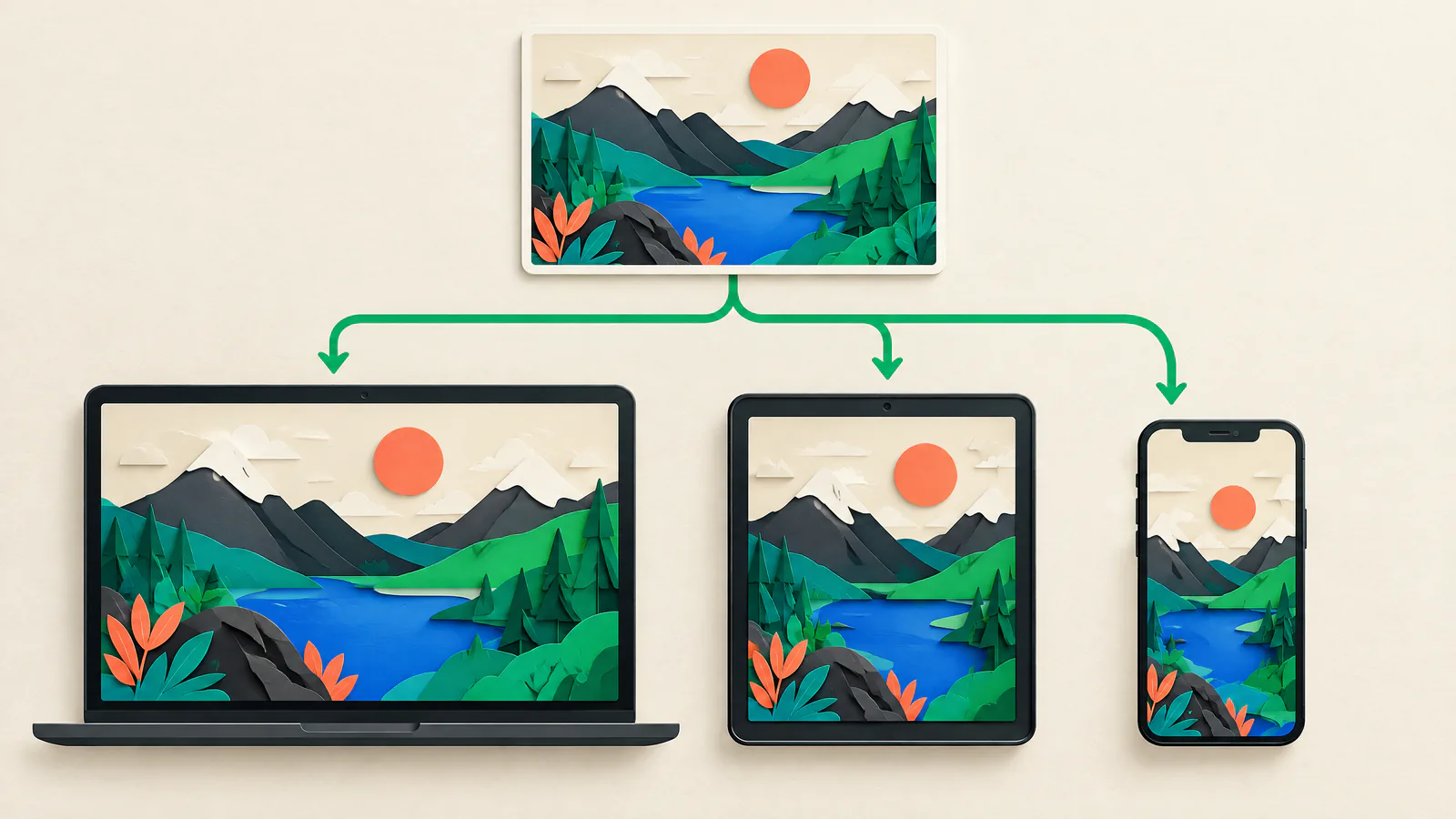
Help the browser select an image that matches the actual layout slot instead of sending one oversized original to every visitor.

Responsive Images with srcset and sizes — VISUAL GUIDE
READ
8 minutes
SOURCES
6
REVALIDATE
2027-03-27
reviewed
Web performance and accessibility reviewer
THE SHORT ANSWER

Start with the decision.

Use srcset and sizes when the same image appears at different rendered widths in a responsive layout. srcset lists image candidates and their intrinsic widths; sizes describes the expected width of the image slot at each layout condition. The browser uses that source-size estimate with display density, zoom, and other conditions to select a candidate. A small mobile card can therefore avoid downloading the desktop original, while a large or high-density display can choose a sharper candidate when one is available.

Start with the component’s CSS layout, not a generic device list. Measure the slot at each breakpoint, generate truthful candidates, and make sizes reflect that slot. Use x density descriptors only for a fixed CSS slot. Use picture when a smaller screen needs a different crop, rather than simply a smaller file. Verify the actual request with an empty-cache reload. This proactive delivery optimization reduces avoidable image transfer before release, but it does not guarantee speed, availability, or image-host reliability.

VISUAL GUIDE

See the work as a system.

Use this map to connect the article’s decisions before acting on individual tactics.

SIUAccelerate
01Pick the correct pattern
02Know how sizes guides selection
03Derive candidates from the actual layout
04Use picture for art direction
01

Pick the correct pattern

Resolution switching keeps the composition the same and offers several file widths. It is the usual pattern for product photos, article figures, and cards. Use width descriptors such as 480w or 1200w when the rendered width changes with layout. The number is the file’s real pixel width, not a phone target or a CSS command.

Density switching serves a fixed CSS slot with more source pixels for a higher-density display. Its descriptors are 1x, 1.5x, or 2x, and it suits a logo or icon that is consistently, for example, 160 CSS pixels wide. Do not mix width and density descriptors in one srcset.

Fluid slot

Use w descriptors with sizes when a component grows or shrinks.

Fixed slot

Use x descriptors without sizes only when the rendered CSS size is stable.

02

Know how sizes guides selection

With width descriptors, the browser evaluates sizes before downloading an image. Each entry pairs an optional media condition with a length. The first matching condition supplies the source size; the final unconditional length is the fallback. sizes is a selection hint, not a CSS rule.

The browser compares that source size with candidate widths to calculate effective density, then may consider display density, zoom, and network conditions. It is not required to choose the mathematically nearest filename. Supply honest candidates and a credible slot estimate; browser selection remains the user agent’s decision.

Order matters

The first matching media condition wins, so write the list in the order that makes that first match correct.

Avoid blanket 100vw

A one-third desktop card described as viewport-wide can trigger an unnecessarily large candidate.

03

Derive candidates from the actual layout

Inventory components, not pages. A hero, editorial figure, product gallery, search thumbnail, and footer logo often have different slot widths. For each, record narrow and largest rendered width, aspect ratio, crop behavior, and initial-screen visibility.

Generate widths around the component’s meaningful slot range, with a larger option when detail justifies high-density rendering. Nearly identical files add build and cache complexity; only a tiny and huge file force compromise. Test generated URLs rather than assuming image transformations work.

Keep a valid src fallback and width and height values that match the delivered ratio. They reserve space but do not prevent responsive CSS from changing final dimensions.

Truthful descriptors

A candidate advertised as 800w must actually be 800 pixels wide.

Component contract

Maintain the slot and candidate plan alongside template and design changes.

04

Use picture for art direction

Art direction changes composition, not just file size. A wide landscape photo may need a tighter portrait crop on a narrow screen so its subject remains visible. The picture element can offer media-specific source options, followed by one img fallback. The browser considers each source’s media, type, and srcset information; the img carries alternative text, dimensions, and fallback behavior.

Prepare each crop with editorial and accessibility review. A mobile crop can remove a product detail or a person mentioned in alternative text. Put alt on img and describe the information or function that the image conveys. Use alt="" only for a genuinely decorative image; for a linked or button image, describe the action instead of the appearance. Do not introduce picture when the crop is unchanged: ordinary width-based srcset is simpler.

Good use

A busy desktop hero needs a distinct portrait crop for a phone.

Format sources

A picture source can offer a type hint and preserve a broadly usable img fallback.

05

Avoid costly loading and markup mistakes

The usual waste is copying sizes="100vw" to every image. That may fit a narrow full-width figure but not a capped container or desktop card. The opposite failure is stale sizes after a redesign. Change CSS and sizes together.

Do not lazy-load an image important in initially visible content. Guidance recommends lazy loading below-the-fold images and keeping a visible hero eager. Fetch priority can elevate a truly vital image, but broad high-priority or preload rules can hurt performance. Do not rely on filenames or cached results as proof.

Cold-cache regression

A CMS, proxy, or cache can conceal a wrong descriptor or unintended image request.

Text in images

Do not make essential page text depend only on an art-directed crop.

06

Test the request, the crop, and the repair

Test representative pages at layout-change widths, including just above and below a grid breakpoint. Include a high-density setting, wide desktop, and states that alter the slot. Confirm rendered dimensions, crop, alternative text, and visual sharpness.

In Chrome DevTools, open Network, reload with cache disabled or use Empty Cache And Hard Reload, filter image requests, and inspect URL, transfer size, headers, initiator, and timing. Throttle to reveal late or wasteful work. Record viewport, device scale factor, slot, candidate, transferred bytes, and expected result.

When a template, breakpoint, CDN, or asset pipeline changes, make this a release gate. Repair narrowly: correct sizes, fix a descriptor, regenerate a crop, restore a fallback, or remove an unnecessary preload. Retest on an empty-cache reload.

Observe rather than infer

The Network panel records the candidate actually requested.

Material limit

This verifies image delivery behavior, not origin capacity, CDN availability, or overall uptime.

07

Apply it as an SIU resilience control

Responsive images reduce avoidable transfer but cannot guarantee a successful request. Origin errors, unavailable transformations, third-party hosts, and CDN failures need separate continuity and recovery planning.

For SIU, use test records to catch delivery regressions early, identify the responsible template or transformation rule, and make the smallest safe correction before launch. Pair this with availability preflight and rollback planning.

Ownership

Assign a component and image-pipeline owner for every failed selection check.

ACTION / VERIFY

Your practical to-do guide.

  1. 01

    Classify each component

    Mark it fluid, fixed-slot, art-directed, decorative, functional, or critical visible content.

    VERIFY: Inventory records slot range, crop rule, and owner.
  2. 02

    Measure slots

    Inspect the production-like grid at narrow, middle, and wide states.

    VERIFY: Recorded CSS box widths include caps, gaps, and sidebars.
  3. 03

    Choose descriptors

    Use w with sizes for fluid slots or x for fixed slots; do not mix them.

    VERIFY: Every srcset uses one descriptor type.
  4. 04

    Write sizes from CSS

    Use first-match conditions and an unconditional fallback that describe the slot.

    VERIFY: The matching value is credible at every tested viewport.
  5. 05

    Validate assets

    Check that every candidate exists and matches its declared intrinsic width.

    VERIFY: Direct requests return the intended files and a valid fallback.
  6. 06

    Reserve space

    Provide matching width and height values and responsive ratio-preserving CSS.

    VERIFY: Image arrival causes no avoidable surrounding-content movement.
  7. 07

    Review art direction

    Check every media-specific crop and its img alternative text.

    VERIFY: Important subjects remain visible and the alternative remains accurate.
  8. 08

    Set priority deliberately

    Lazy-load below-the-fold images; avoid broad high-priority and preload rules.

    VERIFY: The true visible hero requests promptly without unnecessary competition.
  9. 09

    Capture cold-cache evidence

    Use DevTools image filtering, cache-disabled reloads, and representative viewports.

    VERIFY: Release evidence records selected candidate, slot, transfer size, and crop.
  10. 10

    Plan remediation

    Assign a targeted fix or rollback for template and image-pipeline changes.

    VERIFY: Each failure has an owner and a successful post-fix cold-cache retest.
DISCUSSION TOPICS

Compare the trade-offs, not private data.

Use these prompts with your team or website-owner community. Share methods and lessons, but never paste credentials, customer records, or non-public infrastructure details.

  1. 01

    Which component on your site has the largest gap between downloaded pixels and its usual rendered slot, and how could you measure it safely?

  2. 02

    How do your designers, CMS owners, and frontend team decide when a mobile crop is art direction rather than a resize?

  3. 03

    What evidence would make a responsive-image regression easy to approve or roll back during launch review without sharing customer data?

POPULAR / AUTHORITATIVE RESOURCES

Open the source material.

WHATWGImages in the HTML Standard ↗

Primary rules for descriptors, source-size selection, fallbacks, and browser choice.

Reviewed 2026-09-27
MDN Web DocsUsing responsive images in HTML ↗

Practical guide to srcset, sizes, density switching, art direction, and testing.

Reviewed 2026-09-27
web.devResponsive images ↗

Google guidance for dimensions, loading, descriptors, and layout constraints.

Reviewed 2026-09-27
MDN Web Docspicture HTML picture element ↗

Reference for media and type selection, art direction, sizes, and fallbacks.

Reviewed 2026-09-27
Chrome for DevelopersInspect network activity ↗

Instructions for requests, transfers, throttling, filtering, and empty-cache reloads.

Reviewed 2026-09-27
W3C Web Accessibility InitiativeImages Tutorial ↗

Guidance for meaningful, decorative, functional, and textual images.

Reviewed 2026-09-27

Source policy. Claims about responsive image syntax and browser selection are grounded in the official standards and documentation listed below. Validate markup, candidate widths, and rendered layout on the site’s real templates before release.

QUICK CLARIFICATIONS

Common questions.

Do I need sizes whenever I use srcset?

Use sizes with width descriptors because the browser needs a source-size estimate for a fluid slot. A fixed-size density srcset uses x descriptors and does not need sizes. Never mix the two descriptor types in one source set.

Does sizes change the CSS width of an image?

No. sizes is a pre-load selection hint. CSS and the component layout determine the rendered box, which is why sizes must be maintained whenever that layout changes.

Should every responsive image use picture?

No. Use width-based srcset for an unchanged composition at different sizes. Use picture when a media condition needs a different crop or a format-specific source, while retaining a usable img fallback.

Status Is UP Editorial Team · Uptime Enablement Editors

Reviewed by Web performance and accessibility reviewer. Published 2026-09-27; updated 2026-09-30.