
STATUS IS UPWEBSITE OPTIMIZATION WIKI
21Harden
Performance and delivery / Harden

CDN Guide for Website Owners

A practical, vendor-neutral way to use a content delivery network without making caching, security, or release mistakes harder to fix.

CDN Guide for Website Owners — VISUAL GUIDE
READ
8 minutes
SOURCES
7
REVALIDATE
2027-03-27
reviewed
Web Performance and Application Security Reviewer
THE SHORT ANSWER

Start with the decision.

A content delivery network, or CDN, is a distributed layer between visitors and your origin server. It can serve reusable files and responses from a nearby cache, shortening the trip to the origin and reducing work there. The gain is not automatic: define what may be shared, protect the origin, and test the publishing path.

For proactive uptime optimization, start with pages and assets that create the most origin work, then verify the real visitor path before broadening traffic. Treat cache configuration, TLS, and origin access as one delivery baseline. That makes bad rules or stale releases easier to remediate. A CDN can reduce latency and origin load, but it cannot correct an incorrect response, unavailable origin, or unsafe cache rule.

VISUAL GUIDE

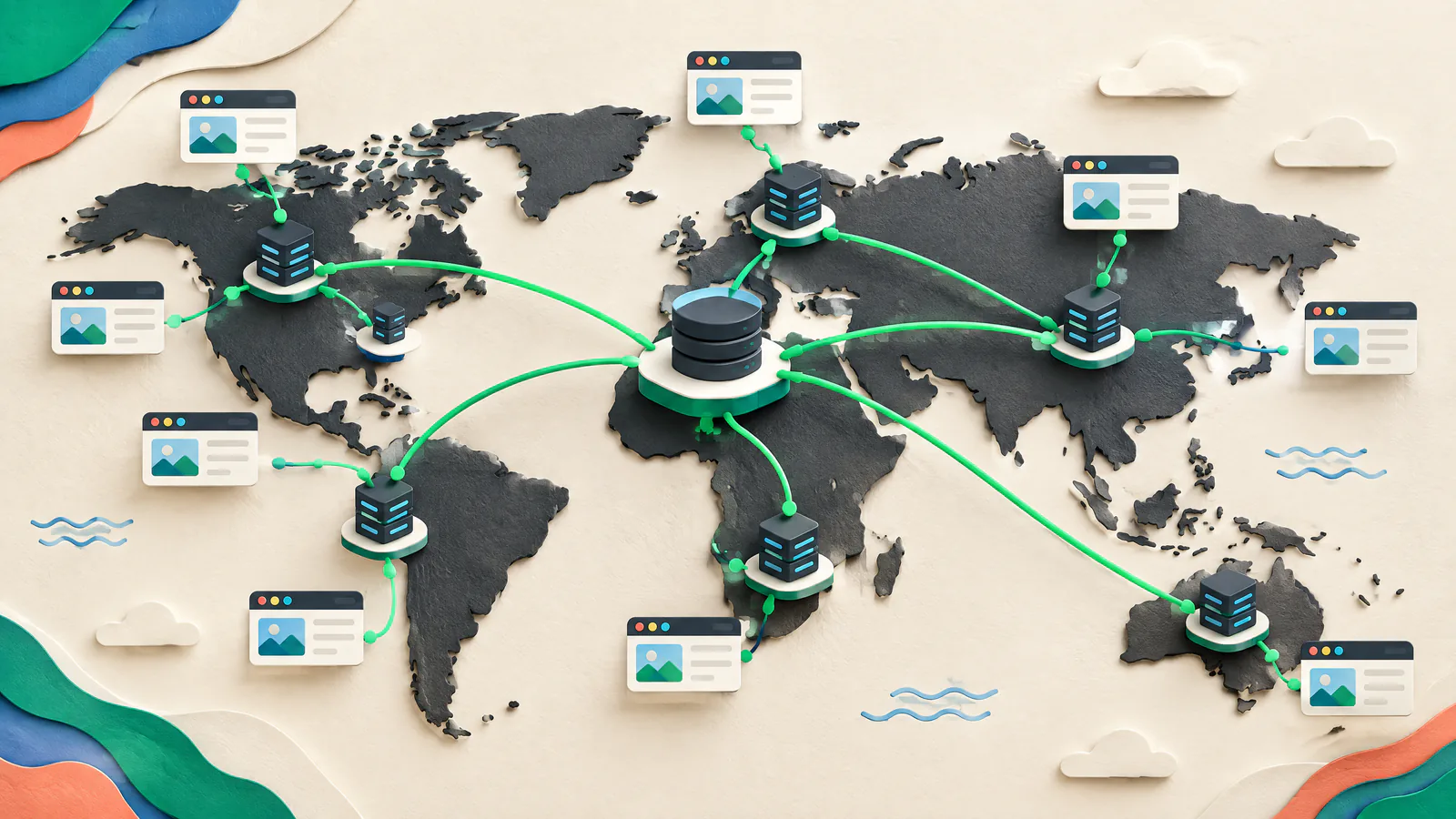
See the work as a system.

Use this map to connect the article’s decisions before acting on individual tactics.

SIUHarden
01Decide what the CDN should deliver
02Set cache policy from content behavior
03Make invalidation an exception, not the release plan
04Keep the origin behind the delivery layer
01

Decide what the CDN should deliver

Begin with an inventory. Separate versioned assets such as images, stylesheets, scripts, fonts, and downloads from HTML, APIs, account pages, checkout, and administration. CDNs often fill a cache on demand: the first request can reach the origin, while later matching requests may be served at the edge. A nearby edge and a cache hit are different benefits.

Origin

Record the host, application, storage bucket, or load balancer that supplies each path; it must answer a cache miss.

Cacheable public content

Start with assets identical for every visitor that can safely remain available until their stated lifetime ends.

Private or sensitive content

Do not share personalized dashboards, session-bound pages, or customer data unless a qualified engineer has designed and tested separation.

02

Set cache policy from content behavior

HTTP response headers express cache behavior. Cache-Control says whether a response may be stored and how long it stays fresh; a time to live, or TTL, is that freshness period. A browser is a private cache, while a CDN is usually shared. Use explicit headers. The HTTP standard lets s-maxage set a shared-cache lifetime separately from max-age.

Versioned assets

Publish a new URL when content changes, such as a content-hashed filename, then give the immutable version a long documented lifetime.

HTML and changing data

Choose a short lifetime or validation behavior based on the cost of stale content; do not reuse an asset rule for prices, inventory, or account state.

Personalization

Use private for responses intended for one user. A cookie alone does not make a response safe for a shared cache.

03

Make invalidation an exception, not the release plan

Invalidation, or purging, tells a managed CDN to drop selected stored objects before normal expiry. Use it for corrections, not every deploy. Confirm that the origin already returns the replacement before purging; otherwise a refill can preserve the bad response. Browser caches are outside the CDN’s purge control, so URL versioning remains dependable for changing files.

Target narrowly

Prefer a specific path, release group, or provider-supported cache tag over a whole-site purge; broad misses can suddenly load the origin.

Know propagation limits

A distributed purge may not reach every edge at once. Check the provider’s completion semantics and test a representative URL.

Keep a release record

Record the old and new URL, cache rule, purge scope, expected result, and reversal step.

04

Keep the origin behind the delivery layer

Direct origin access can bypass CDN caching and edge controls. Restrict it so the CDN, and only intended paths, can reach it. Depending on your stack, use cloud-origin access control, firewall rules with documented CDN egress ranges, private networking, signed origin requests, or mutual TLS (mTLS), where both sides authenticate with certificates.

Verify direct access

From an authorized test location, confirm the origin rejects public requests while the CDN hostname works.

Protect the exception path

Scope health checks, deployment tools, and internal access by identity and network rather than a broad public rule.

Account for provider differences

Origin authentication differs by CDN and origin. Use current provider setup guidance and security review.

05

Treat TLS as two connections

HTTPS at the edge protects the visitor-to-CDN connection, but the CDN-to-origin connection needs protection too. Require encryption on both legs, validate the origin certificate for the CDN mode, and assign hostname and renewal ownership. OWASP recommends TLS 1.3 by default and permits TLS 1.2 for compatibility; it says TLS 1.0 and 1.1 should be disabled. Obtain qualified review for regulated data, payment flows, or unusual client compatibility.

Certificate ownership

List the edge and origin certificate owners, renewal routes, and failure response.

Redirect behavior

Test HTTP-to-HTTPS, canonical-host, and deep-link redirects for loops or lost paths.

Sensitive responses

Encryption does not make a response safe to cache; set cache rules separately for authenticated, personal, and payment-adjacent pages.

06

Test the real delivery path before changing traffic

Start on a staging hostname or narrow production path, then test the CDN hostname, not only the origin. Chrome DevTools Network shows request status, domain, timing, size, and headers. Test an empty-cache hard reload to approximate a first visit, then a repeat visit to inspect reuse. Compare expected headers and content, not just a faster-looking page. Repeat from representative regions when the audience is spread out.

Header checks

Inspect Cache-Control and provider cache-status headers. Confirm public assets reuse and sensitive pages are not unexpectedly shared.

Failure checks

Exercise a miss, stale-content correction, origin error, and rollback of one asset or route before a broad launch.

Evidence

Save tested URLs, header captures, route-rule version, and before-and-after timings with the change record.

07

Choose a CDN by operating needs, then prove it

Do not choose a CDN solely by point-of-presence count or a generic speed claim. Performance varies with geography, time, traffic distribution, routing, and cache hit ratio. Compare candidates on representative routes, assets, and regions. Ask whether each supports your needed cache controls, targeted invalidation, origin restriction, certificate workflow, logs, access roles, pricing, support, and change process.

Run an equivalence test

Use identical cache headers, origin behavior, and pages for candidates; record first-visit and repeat-visit results separately.

Price the failure path

Review request, transfer, invalidation, logging, and support costs, plus a cache-miss surge. Pricing and controls vary by plan.

Design for change

Require exportable configuration, least privilege, tested rollback, and clear ownership before covering critical routes.

ACTION / VERIFY

Your practical to-do guide.

  1. 01

    Map the request paths

    List public assets, HTML, APIs, authenticated pages, origin hosts, and owners.

    VERIFY: A reviewer can identify shared and non-shared paths.
  2. 02

    Write explicit cache rules

    Set Cache-Control per route group, including private handling for personalized responses.

    VERIFY: Representative headers match the written policy.
  3. 03

    Version changeable assets

    Make a new asset URL part of each content change.

    VERIFY: A deployment loads the new filename without a routine broad purge.
  4. 04

    Define the purge procedure

    Authorize narrow invalidations and record the origin check and reversal action.

    VERIFY: A low-risk test removes one object and confirms its replacement.
  5. 05

    Restrict origin access

    Accept CDN traffic and documented internal exceptions only.

    VERIFY: Direct public origin access fails while CDN delivery succeeds.
  6. 06

    Harden both TLS legs

    Check edge and origin certificates, encryption, hostname coverage, renewals, and protocol policy.

    VERIFY: TLS and CDN-origin checks pass before expansion.
  7. 07

    Test first and repeat visits

    Inspect a hard reload and repeat request for core pages and assets.

    VERIFY: Headers, content, and timing match the cache plan.
  8. 08

    Prepare rollback

    Keep prior route, origin, and cache configuration with an owner and restoration procedure.

    VERIFY: The team can state the exact change that restores prior behavior.
DISCUSSION TOPICS

Compare the trade-offs, not private data.

Use these prompts with your team or website-owner community. Share methods and lessons, but never paste credentials, customer records, or non-public infrastructure details.

  1. 01

    Which pages on your site look public but actually vary by user, currency, inventory location, or consent choice, and how have you prevented an unsafe shared response?

  2. 02

    What evidence do you keep after a CDN rule change so another owner can tell whether a slow page is an origin issue, a cache-policy issue, or an asset-release issue?

  3. 03

    Which release change would force you to purge today, and what URL-versioning or content-model change could make that purge narrower next time?

POPULAR / AUTHORITATIVE RESOURCES

Open the source material.

web.devContent delivery networks (CDNs) ↗

Platform-neutral CDN delivery, caching, purge, selection, and performance tradeoffs.

Reviewed 2026-09-27
IETF / RFC EditorRFC 9111: HTTP Caching ↗

Primary HTTP caching rules for freshness, validation, shared caches, private, and s-maxage.

Reviewed 2026-09-27
MDN Web DocsHTTP caching ↗

Practical cache-control guidance for private and managed caches.

Reviewed 2026-09-27
Google CloudCache invalidation overview ↗

Official targeted-purge guidance, including refill, browser-cache limits, and miss-surge risk.

Reviewed 2026-09-27
Cloudflare DevelopersAuthenticated Origin Pulls (mTLS) ↗

Example of mTLS so an origin can distinguish CDN traffic from direct requests.

Reviewed 2026-09-27
OWASPTransport Layer Security Cheat Sheet ↗

TLS protocol, certificate, configuration-testing, and security-review guidance.

Reviewed 2026-09-27
Chrome for DevelopersInspect network activity ↗

Browser workflow to inspect headers, hard reloads, timing, and cache behavior.

Reviewed 2026-09-27

Source policy. This guide uses primary standards and official documentation where available. Provider-specific material illustrates implementation patterns, not universal capabilities or endorsements. Recheck vendor settings, prices, support terms, and security requirements against current documentation before making a production change.

QUICK CLARIFICATIONS

Common questions.

Will a CDN cache my whole website automatically?

No. A CDN may forward uncached traffic, and cache behavior depends on origin headers and CDN rules. Begin with public, reusable assets, then deliberately classify HTML and APIs. Do not assume a response is safe to share because it happens to be reachable without a login.

Should I purge the CDN whenever I deploy?

Usually not for versioned assets. A new URL lets new pages request the new file while old cached files can expire naturally. Use a narrow purge for exceptional corrections, after confirming the origin has the right replacement. Purging cannot remove files already stored in visitor browser caches.

Does putting HTTPS on the CDN secure the origin too?

Not by itself. You must also encrypt and validate the CDN-to-origin connection and restrict direct origin access. The exact control varies by CDN and hosting platform, so test the full path and obtain qualified security review for sensitive or regulated workloads.

Status Is UP Editorial Team · Uptime Enablement Editors

Reviewed by Web Performance and Application Security Reviewer. Published 2026-09-27; updated 2026-09-30.