
STATUS IS UPWEBSITE OPTIMIZATION WIKI
36Enable
SEO and discoverability / Enable

Search Intent: Build the Page the Visitor Actually Needs

Match the visitor’s underlying job to a page that helps them learn, compare, act, or arrive at the right destination.

Search Intent: Build the Page the Visitor Actually Needs — VISUAL GUIDE
READ
8 minutes
SOURCES
6
REVALIDATE
2027-03-27
reviewed
SEO and website reliability reviewer
THE SHORT ANSWER

Start with the decision.

Build for the job behind the query, not just its words. Search intent is the outcome a person wants. Ask whether the visitor needs to learn, compare, act, or reach a known destination. Make that clear in the page format, first screen, title, and next step.

Use four working types: informational, commercial, transactional, and navigational. Informational visitors need an answer. Commercial visitors assess fit. Transactional visitors want to buy, book, request, download, register, or sign in. Navigational visitors want a particular brand, account, product area, or page. Commercial is a planning label, not proof that every query has one fixed meaning.

For Status Is UP, intent work is proactive optimization. Reduce friction that stops visitors from reaching the right page and completing the intended path. It is not outage monitoring, alerts, or current-status reporting.

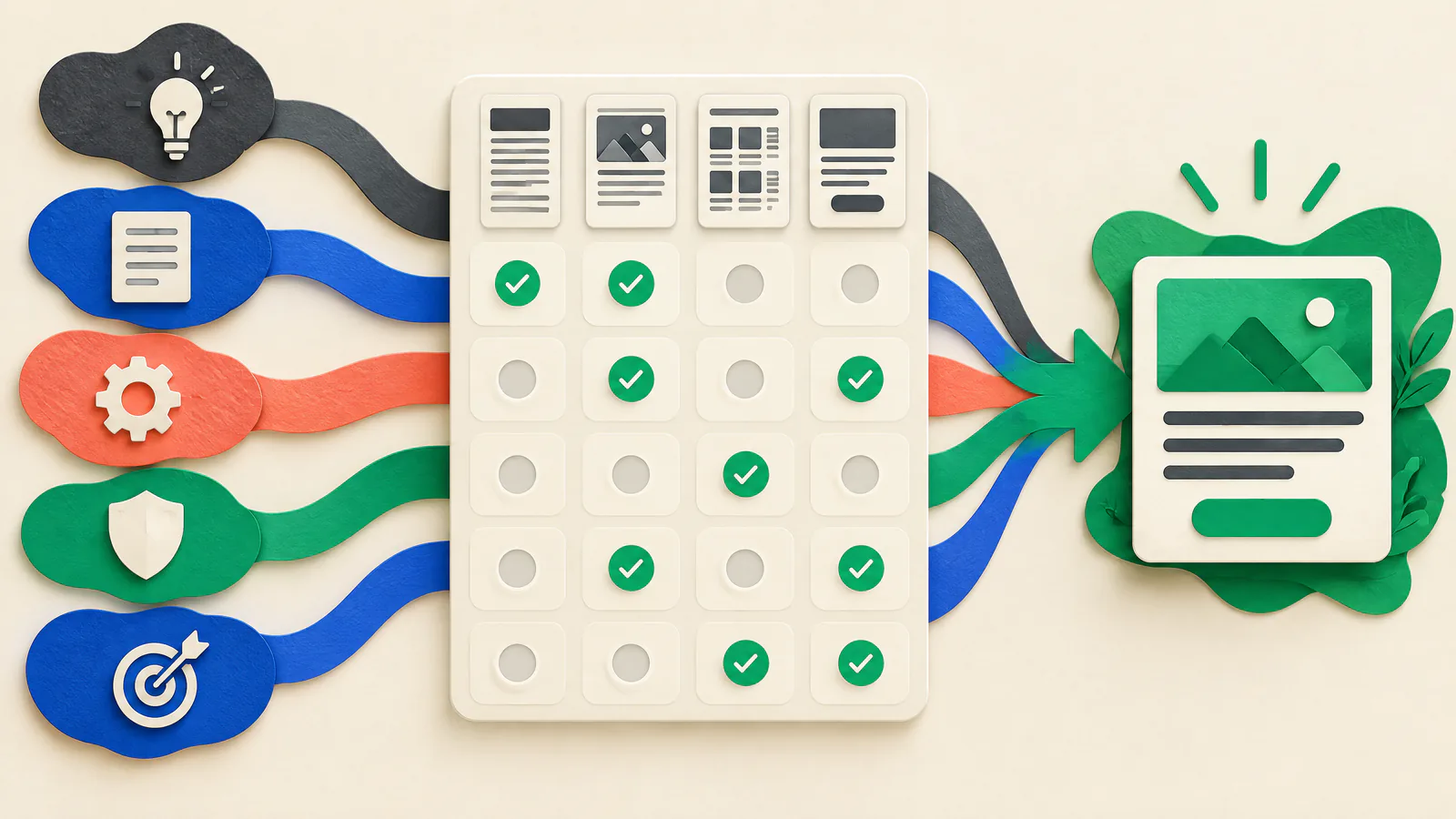
VISUAL GUIDE

See the work as a system.

Use this map to connect the article’s decisions before acting on individual tactics.

SIUEnable
01Classify the visitor’s job before outlining the page
02Choose the page format that removes the next obstacle
03Use search results and first-party evidence as a hypothesis
04Keep the result promise and the visitor journey consistent
01

Classify the visitor’s job before outlining the page

Search intent is the need behind a query. The original web-search taxonomy distinguishes informational, navigational, and transactional needs. For planning, add commercial investigation: the visitor is comparing fit but has not clearly signaled that they are ready to transact.

Classify from the likely next move, not one modifier. “Best accounting software for a bakery” is usually commercial; “Acme accounting login” is navigational. “Set up payroll tax” may be informational or transactional. Record an alternative when a phrase is broad.

Informational

Use a guide, tutorial, FAQ, glossary, reference, or troubleshooting page that answers the question early.

Commercial

Use a comparison, buyer’s guide, category page, use-case page, or transparent product overview.

Transactional

Use a product, service, booking, checkout, request, download, or sign-up page designed to complete the action.

Navigational

Use a direct, clearly named destination with minimal intervening choices.

02

Choose the page format that removes the next obstacle

A page format is a promise about what happens after the click. An informational page should lead with the answer or steps. A commercial page should expose criteria, fit, differences, constraints, proof, and stable price context where relevant. A transactional page should show the offer or request, price or quote basis, important terms, and action control.

On product pages, Product and Offer structured data can make a page eligible for Google merchant listing experiences that may highlight price, availability, shipping, and returns. Eligibility does not promise a rich result, and markup does not replace accurate visible information. Navigational pages should favor arrival over persuasion.

One primary task

Give the page one dominant completion path; keep secondary links only when they solve an obvious adjacent need.

Decision details

Place material limits, eligibility, price variability, and exclusions near the action, not behind a vague button.

Sensitive decisions

For payment, financial, health, privacy, or security decisions, obtain appropriate qualified review; this article is educational.

03

Use search results and first-party evidence as a hypothesis

Search the query in the country and language relevant to your audience. Note recurring result types: tutorials, comparisons, product pages, official destinations, local listings, videos, or tools. This is evidence of the result landscape, not a command to copy competitors or a promise that it will stay the same.

Compare the observation with first-party evidence such as support themes, sales questions, on-site search, and privacy-appropriate analytics. Google notes that queries can have more than one meaning and that location can matter. Create separate pages only if tasks, proof, or actions truly differ; otherwise answer the dominant need and signpost the other.

Planning note

Record the query, date, locale, leading intent, alternative meaning, common formats, proposed page, and rationale.

Avoid overfitting

A visible result format can reflect brand, freshness, location, or result features as well as visitor need.

04

Keep the result promise and the visitor journey consistent

Align the title element, visible main heading, opening content, and main action around the same task. Google says title links give users a quick insight into relevance and recommends descriptive, concise, distinct titles rather than vague labels, boilerplate, or keyword stuffing. Align the title element with a clear visible page title instead of trying to control the result label word for word.

For a guide, lead with the answer. For a comparison, name the decision and criteria. For a transaction, name the exact offer or action. For navigation, name the destination. Then test links, buttons, forms, and confirmation pages. A page that renders but leads to a broken form, expired offer, or inaccessible next step still fails the visitor’s task.

First-screen test

A visitor should quickly understand what the page helps them do and the next step.

Path test

Follow the intended action to a success state, including relevant mobile and logged-out paths.

05

Measure completion and remediate high-value friction

Use Search Console to review queries and pages together. Google describes its Search performance report as showing Google Search traffic with query and page breakdowns. Read query wording beside page purpose. A persistent mismatch is a reason to revise the page, use a better existing destination, or build a distinct page.

Do not treat one metric as proof of intent. Pair query-to-page relevance with a privacy-appropriate task signal: purchase, request, booking, registration, download, successful sign-in, or progression to the relevant next page. For SIU remediation, fix wrong landing pages, missing decision details, unclear labels, failing forms, or slow critical pages before cosmetic copy changes.

Assign owners for high-intent pages and action paths. Before a release, test the result promise, landing page, decision content, action, validation, and success state. Keep a recovery option so a harmful redesign can be restored or traffic routed to a working destination.

Completion signal

Choose one outcome that reflects the specific job, rather than using page views as a universal success measure.

Release readiness

Name a content owner and a technical owner where a form, checkout, authentication, or third party is part of the path.

ACTION / VERIFY

Your practical to-do guide.

  1. 01

    Select a query family

    Group queries that should lead to one visitor task.

    VERIFY: Each query has an audience and likely task.
  2. 02

    Assign working intent

    Mark it informational, commercial, transactional, or navigational.

    VERIFY: The team can complete the sentence: ‘The visitor wants to…’.
  3. 03

    Inspect the relevant results

    Review the audience’s relevant locale and language; record formats without copying them.

    VERIFY: The note includes date, locale, formats, and a page-format rationale.
  4. 04

    Map to one destination

    Choose or create the page that best satisfies the primary task.

    VERIFY: The page has one documented primary action.
  5. 05

    Build decision content

    Put the answer, criteria, offer details, or destination label where it is needed.

    VERIFY: A colleague can state the purpose, limits, and next step.
  6. 06

    Align the promise

    Make title, heading, opening, and main action describe the same job.

    VERIFY: Nothing promises an unsupported comparison, price, availability, or outcome.
  7. 07

    Test the complete path

    Follow the expected action through its success state.

    VERIFY: The path has no broken links, validation dead ends, or missing confirmation.
  8. 08

    Measure and prepare remediation

    Review query-to-page evidence with a task completion signal; document owners and a recovery route.

    VERIFY: Owners can restore the prior working page or route visitors to a working destination.
DISCUSSION TOPICS

Compare the trade-offs, not private data.

Use these prompts with your team or website-owner community. Share methods and lessons, but never paste credentials, customer records, or non-public infrastructure details.

  1. 01

    Which query reaches a page that covers the topic but not the visitor’s task, and what destination would work better?

  2. 02

    How does your team distinguish a comparison need from an action-ready need using non-sensitive site evidence?

  3. 03

    What release check has caught a broken decision or conversion path before visitors encountered it?

POPULAR / AUTHORITATIVE RESOURCES

Open the source material.

Google Search CentralCreating helpful, reliable, people-first content ↗

Use Google’s self-assessment questions to check whether a page serves an audience and gives visitors enough to achieve their goal.

Reviewed 2026-09-27
Google Search CentralGet started with Search Console ↗

Explains the Search performance report and how query and page data support an intent-to-page review.

Reviewed 2026-09-27
Google Search CentralInfluencing your title links in search results ↗

Official guidance for descriptive, concise, distinct titles aligned with a page’s actual content.

Reviewed 2026-09-27
Google Search CentralMerchant listing Product and Offer structured data ↗

Use this for accurate structured product-offer information, including price, availability, shipping, and returns.

Reviewed 2026-09-27
ACM SIGIR Forum / IBM ResearchA taxonomy of web search ↗

Original research defining informational, navigational, and transactional web-search needs and their uncertainty.

Reviewed 2026-09-27
GoogleSearch Quality Rater Guidelines: An Overview ↗

Published material explaining that usefulness depends on interpreted intent and how fully a result meets the need.

Reviewed 2026-09-27

Source policy. This article uses official Google Search documentation and published Google evaluation material for current guidance, plus the original ACM web-search taxonomy for core definitions. Commercial intent is a practical planning category, not a universal taxonomy. SIU links are navigation, not evidence.

QUICK CLARIFICATIONS

Common questions.

Is commercial intent the same as transactional intent?

No. Commercial intent is evaluation before commitment: comparing options, fit, or trade-offs. Transactional intent is an action such as buying, booking, requesting, registering, downloading, or signing in. A commercial page reduces uncertainty; a transactional page makes the action and material terms clear.

Should I make a separate page for every keyword variation?

No. Separate pages are warranted when searchers have materially different jobs or need different proof, actions, or constraints. Group wording variations that share one task. Near-duplicate pages can leave each page with less useful substance.

Can structured data fix a weak product page?

No. Product and Offer markup can make a page eligible for merchant listing experiences but does not replace useful, accurate visible content or guarantee a rich result. Help the buyer understand the product and complete the action first.

Status Is UP Editorial Team · Uptime Enablement Editors

Reviewed by SEO and website reliability reviewer. Published 2026-09-27; updated 2026-09-30.